Stop Postponing. Start Doing,With a Well-Crafted App by Your Side.
Working on a project, reading a book, taking a class, watching a series — Kalendi remembers exactly where you stopped, unlike every other planner. Move something on the kanban board, and it's already updated on your calendar — same item, nothing to keep in sync.
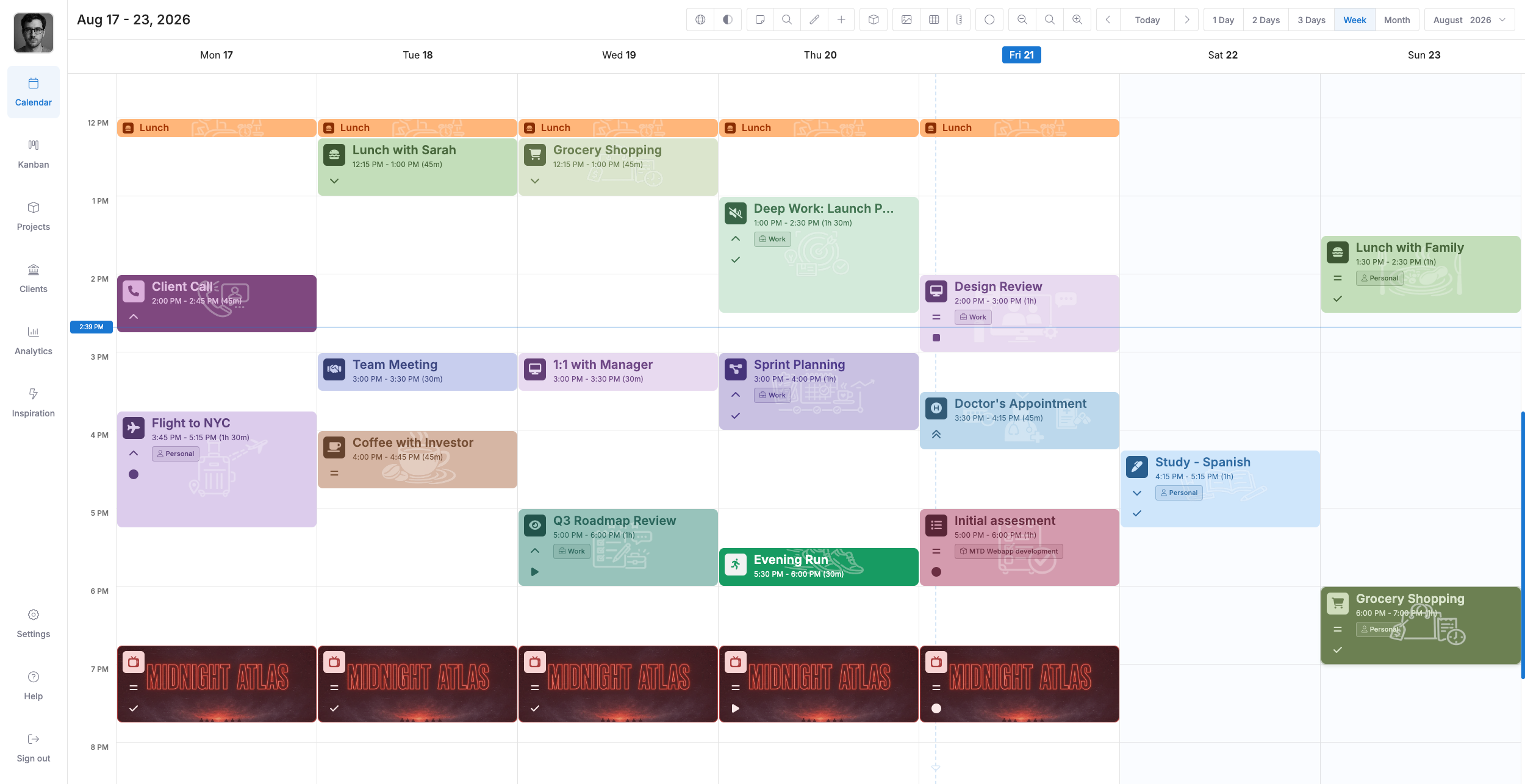
Less time organizing, more time doing
Kalendi gets out of your way so your day runs itself, not the other way around.
One app, not two
No separate task app to keep in sync — your calendar and your board draw from the exact same set of items.
Repeats that remember progress
Reading a book, taking a class, watching a series — Kalendi remembers exactly which one you're on, every time it repeats.
Built to be extended
Kalendi ships with a frontend plug-in system, so when the app doesn't do something yet, you can build it instead of waiting for us to.
Every feature, every plan
Every plan unlocks the full app from day one — the calendar, the board, plugins, all of it. Nothing held back for a higher tier.
One right-click away
Right-click any item and every action you'd need is right there under your cursor — no hunting through menus to get to it.
Designed, not just built
Every screen looks and feels like it belongs to the same app — dark theme included, and built to be used with a keyboard, not just a mouse.
Kalendi vs. duct-taping two apps together
Every row below is something Kalendi does that a calendar app plus a task app, bolted together, still can't.
Kalendi
A calendar app + a task app
Calendar and board share the same items
Repeating items remember where you left off
Frontend plug-in system to extend it
Every feature on every plan
Fully custom projects, priorities, statuses & item types
Right-click quick-action menu
Built-in analytics dashboard
Designed dark theme & keyboard-first shortcuts
Everything you need to actually get things done
One app for planning, tracking, and following through -- without duct-taping a calendar to a task board.
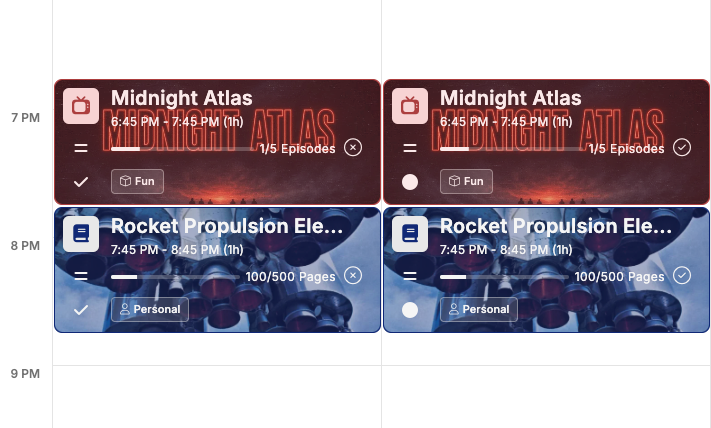
Action-based Items
A repeating item that actually remembers where you left off — nobody else does this
Every other calendar and task app resets a repeating item to zero on every occurrence. Kalendi tracks your real progress across each one, so it always knows exactly where you stopped and picks up right there next time.
A feature you won't find in another calendar or task app, built from the ground up for repeating progress
Reading a book? Get reminded exactly which pages come next, every time it repeats
Attending a class? Kalendi tracks which session you're on automatically
Watching a TV series? It keeps count of which episode you're up to
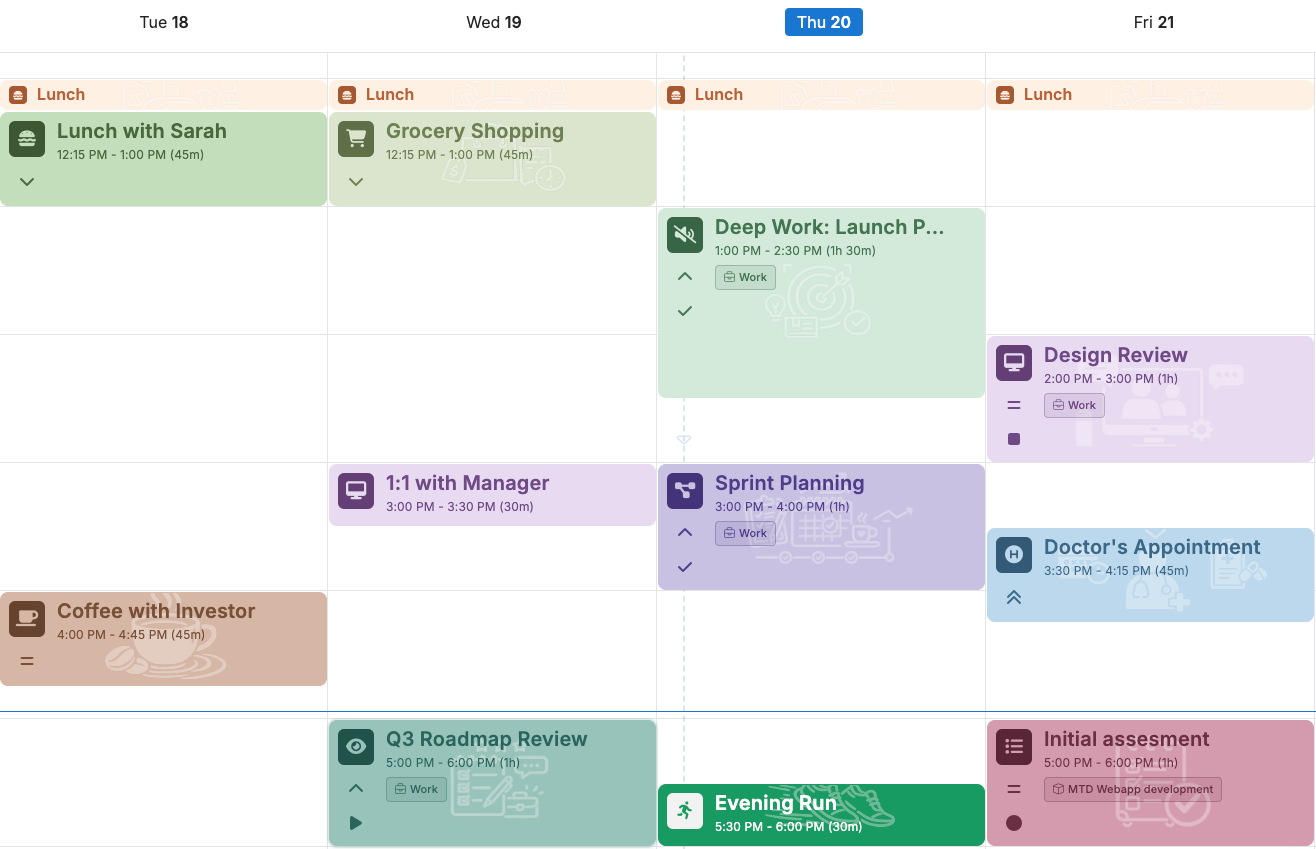
Calendar
A real calendar, not a list pretending to be one
See your day, week or month at a glance and drop items exactly where they belong. Everything you plan lives on an actual calendar — times, durations, the whole shape of your week.
Full-fledged calendar features — not a stripped-down task list wearing a calendar skin
Day, 2-day, 3-day, week and month views
Drag to reschedule, drag to resize
Repeating items that don't need babysitting
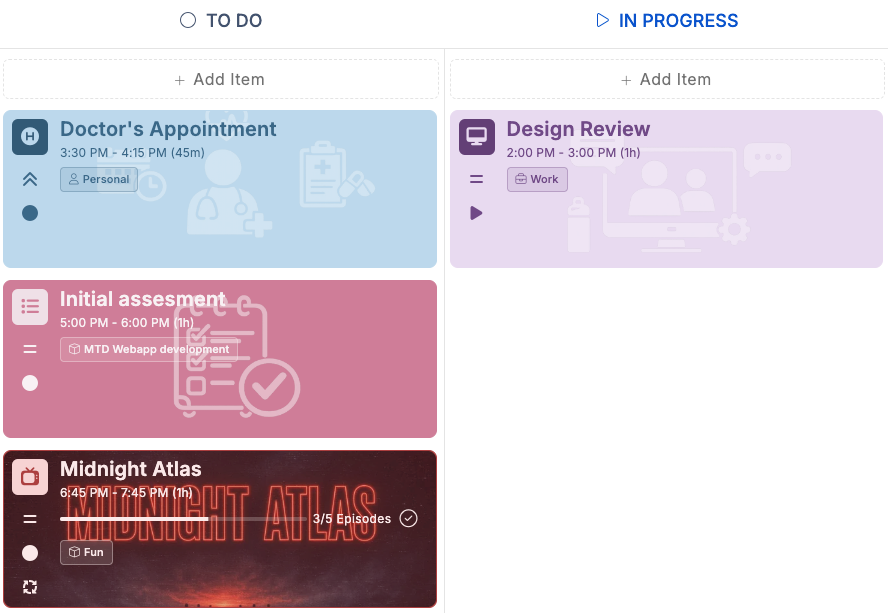
Kanban
A board that tracks progress, not just position
The same items from your calendar, laid out by status or priority instead of date. Move work forward with a drag, and follow up on it with action-based items instead of just staring at a card.
Your own projects, priorities, statuses and item types
Drag cards between columns as work moves
One set of items — nothing to re-enter from the calendar
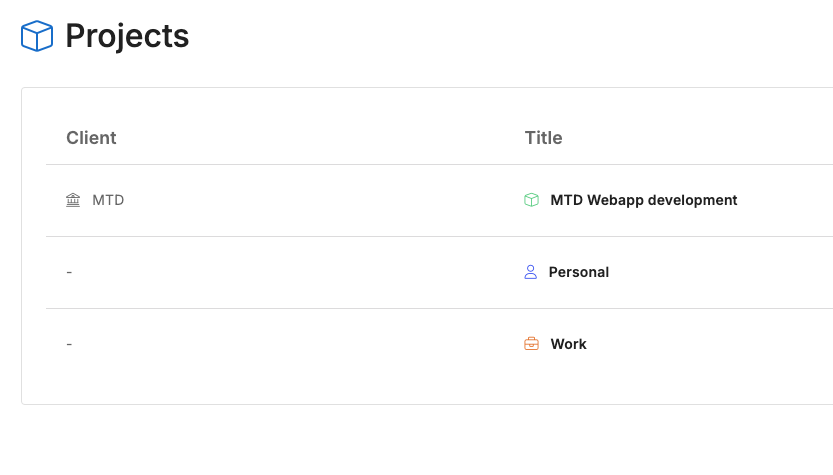
Projects
Projects built around your work, not a template
Group items under as many projects as you need, using the same priorities, statuses and item types you already set up. Every item still shows up on your calendar and your board — the project is just how you keep it organized.
Unlimited projects, no template to fight
One shared set of priorities, statuses & item types across every project
Items stay visible on both the calendar and the board
Set milestones to track a project toward a real finish line
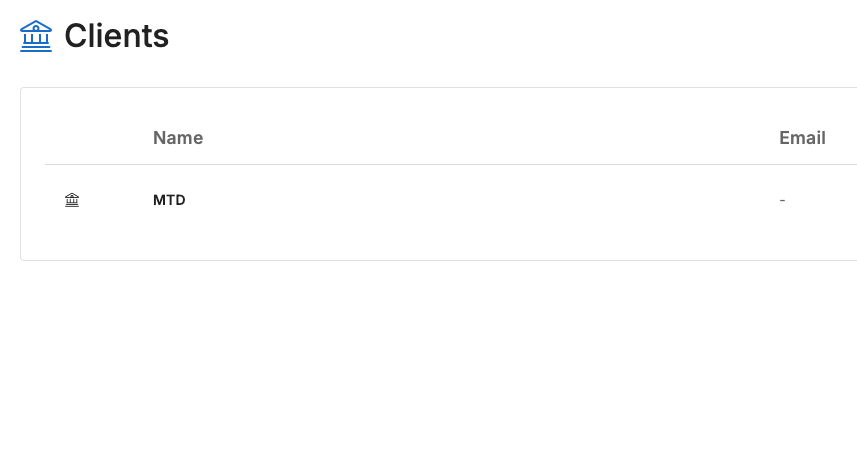
Clients
Keep every client's work in one place
Attach a client to any project and everything tied to it — items, progress, the whole picture — stays organized around who it's actually for. Built for freelancers and subcontractors juggling more than one client at once.
Link any project to a client when it makes sense, no obligation to
See a client's work on both the calendar and the kanban board
Built for freelancers and subcontractors
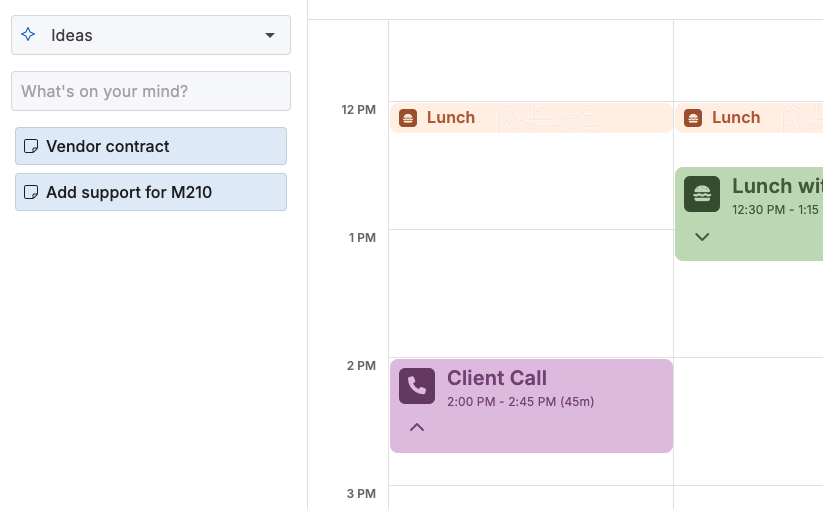
Notes
Capture your ideas first, plan them later
Not every thought is ready to be scheduled. Keep notes in as many notebooks as you need, then drag any note straight onto your calendar or board the moment it turns into a real plan.
Unlimited notebooks and notes — organize ideas your way
Capture a thought before it disappears, no need to plan it on the spot
Drag and drop a note onto the calendar or board to turn it into an item
The note becomes the item — no duplicate copy left behind
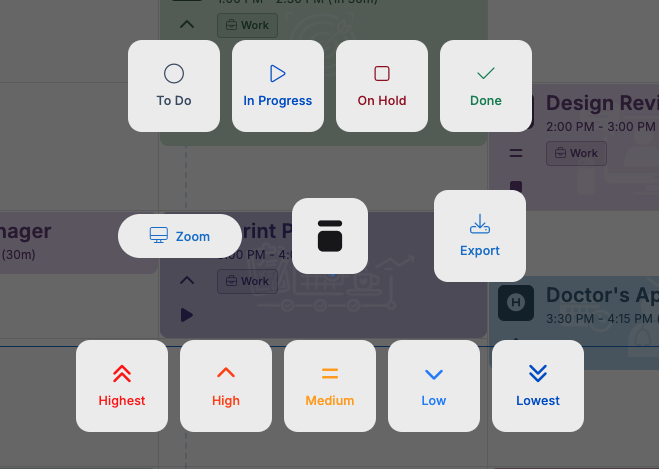
Hotbox
No digging through menus — right-click, glide, release
Right-click any item in the calendar or kanban view to bring up the Hotbox right where your cursor already is, glide to the action you want, and release. We didn't just cut down the clicks to get somewhere — we eliminated the second click entirely, so managing items stays fast instead of eating into the time you're supposed to be planning.
Opens right at your cursor — no hunting across the screen for a menu
Right-click, glide to the action, release — no separate click required
Every relevant action for an item, one press away, on the calendar or the kanban board
Seconds saved on every action add up fast when you're managing dozens of items a day
Analytics
See where your work actually stands
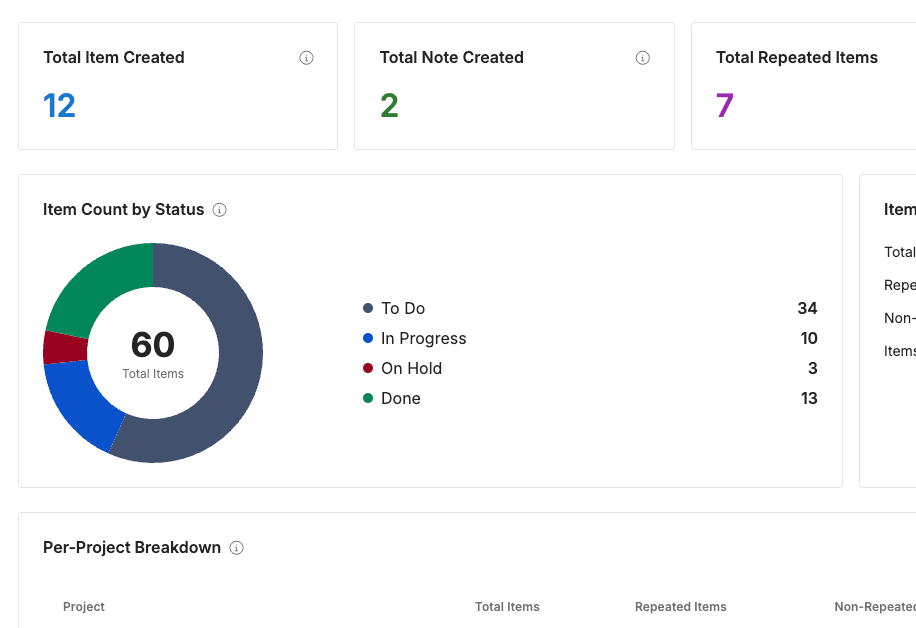
A snapshot of everything you've planned, broken down by status and by project, so nothing quietly piles up out of view.
Pie chart of items by status, plus totals for notes, repeated and action items
Per-project table showing exactly where each project stands
Progress bars for repeated, non-repeated and action-based items
Rich Features
Make every item unmistakably yours
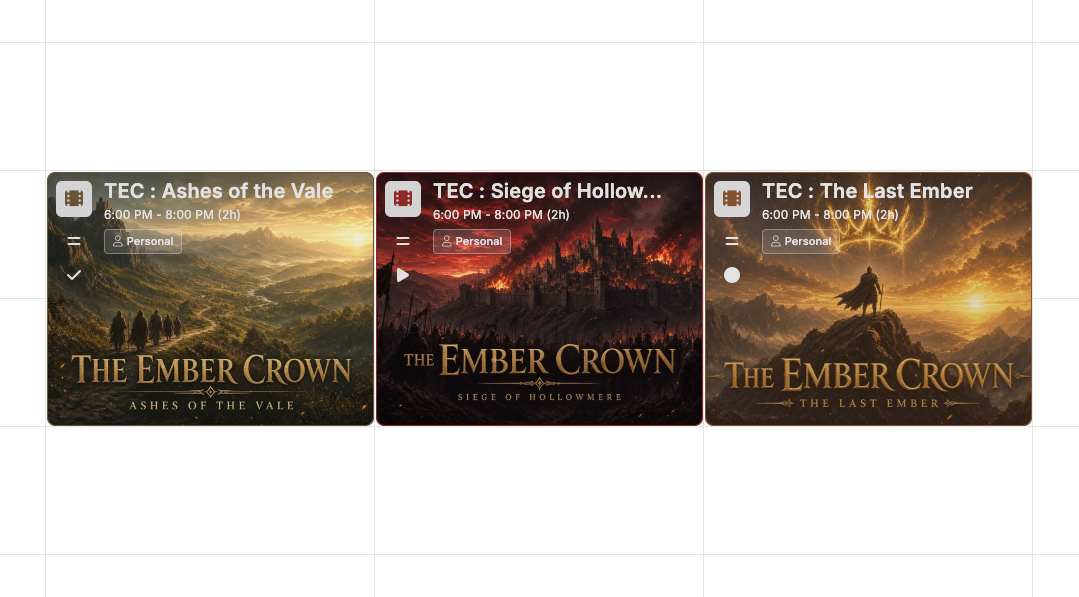
Past the basics, every item can carry as much depth as the work behind it — how it looks, how you focus on it, and everything attached to it.
Custom icon, color, background color and background image per item
Built-in focus timer to actually protect deep work
Subtasks to break a big item into a checklist
Milestones to track a project toward a real finish line
Attach files directly to the item they belong to
Invite guests and track RSVPs without leaving the item
Outstanding UX
Designed so planning gets out of your way
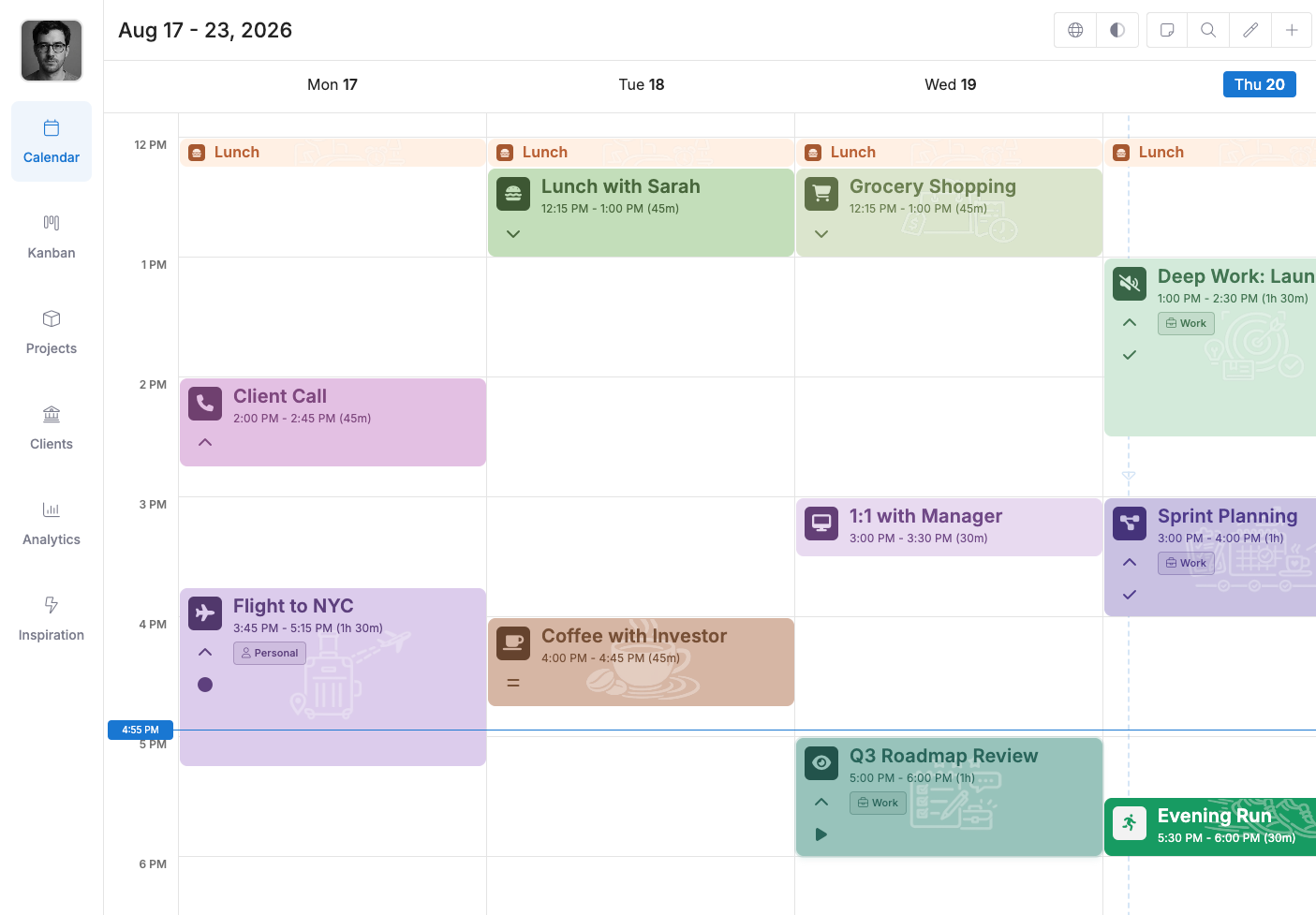
Every screen shares the same clean design language, and nothing important is locked behind a mouse click — Kalendi is built to be fast, not just good-looking.
A shortcut for nearly everything, not just the basics
Instant search built into every screen — find any item without leaving what you're doing
One consistent design system across the whole app, not bolted-together screens
Frontend Plug-ins
Extend Kalendi instead of fighting it
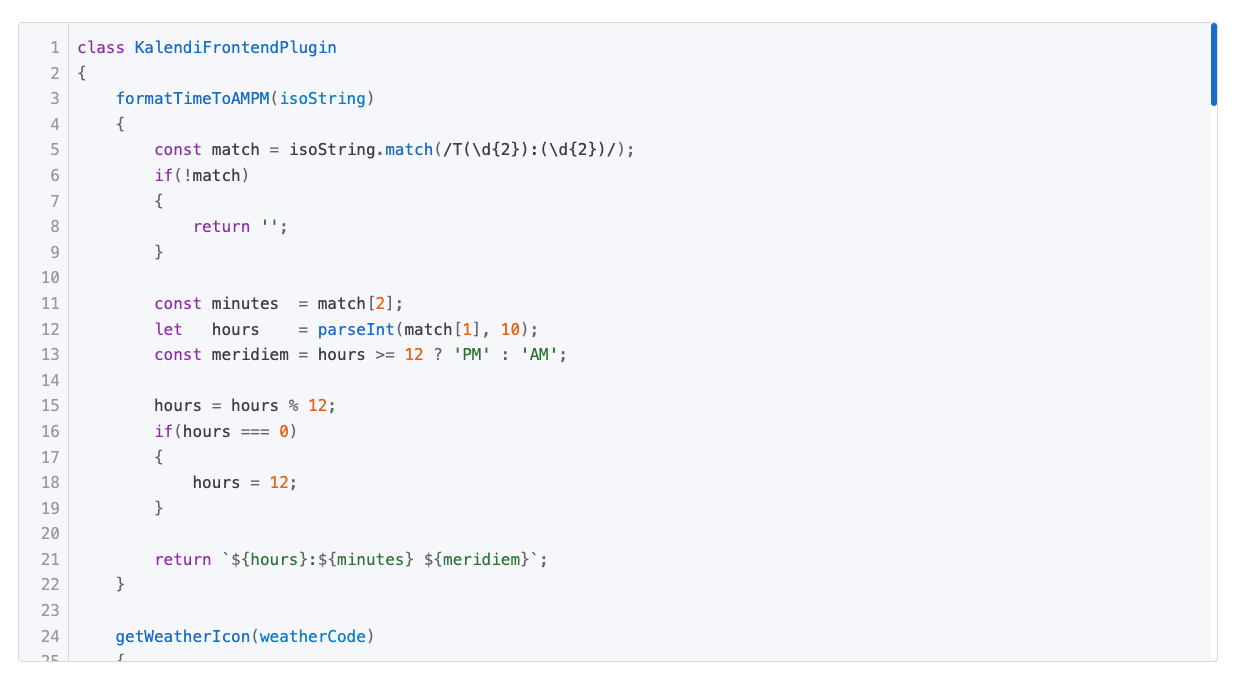
Build on top of Kalendi to fit your own workflow, instead of bending your workflow to fit somebody else's app.
A frontend plug-in system built to extend Kalendi, not just customize it
Build on top, not around
Fit Kalendi to your workflow instead of the other way around
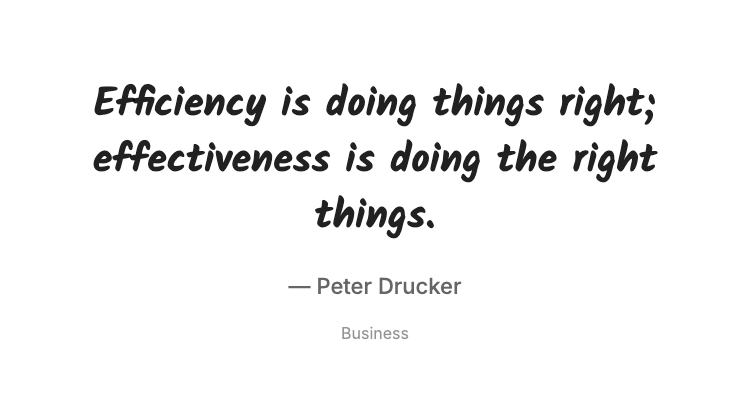
Inspiration
A quiet nudge when you need one
Pull up a quote filtered to what actually applies to you — business, software development, or whatever fits — and browse through more whenever you want.
Quotes filtered by category, not generic motivational fluff
Browse back and forward through quotes you've already seen
Turn it off entirely from settings if it's not your thing
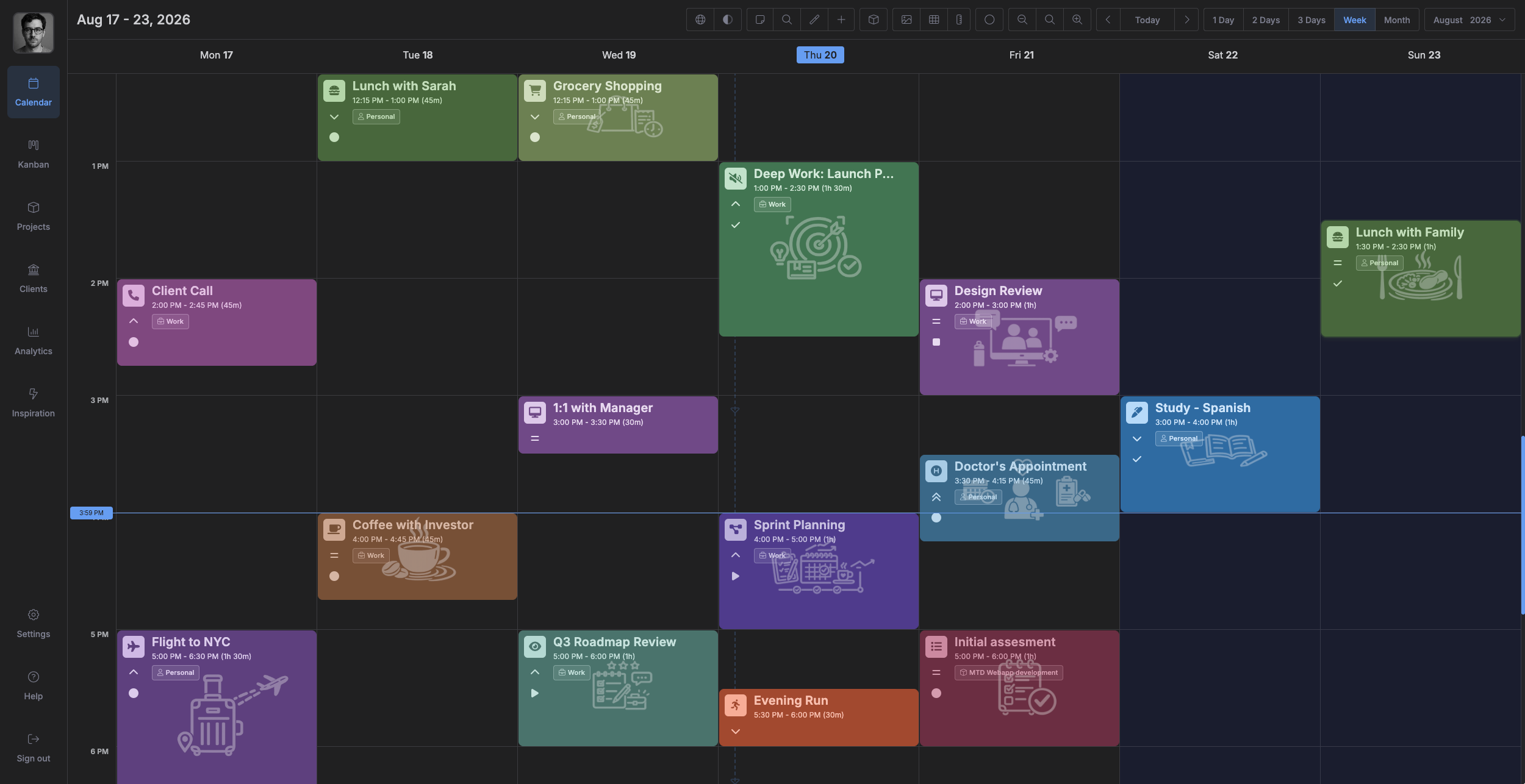
Dark Theme
Easy on the eyes, day or night
Switch to a full dark theme whenever you want. Every screen — calendar, board, projects, everything — is built for it, not bolted on after the fact.
One click to switch between light and dark
Your choice is saved to your account and follows you to every device you sign in on
Every screen designed for dark theme, not just re-colored
And everything else that makes it stick
Create items your way
Type it, drag it, drop it, or pull it in from a note. Kalendi doesn't force one way of adding to your day.
Your projects, priorities & statuses
Set up your own projects, priority levels, statuses and item types. Not somebody else's template.
Items as deep as you need
Notes, priority, status, type, colour, icons. Simple tasks stay simple; complex ones don't outgrow the app.
Keyboard-first
Create, search, switch views, jump to today. Planning takes seconds, not clicks.
Multi-language
Plan your day in the language you think in — English, Spanish, French, German, Italian, Dutch and Portuguese, out of the box.
Import from other calendars
Bring your events over from Apple Calendar, Google Calendar or any other calendar that exports to a standard file, and keep planning in one place.
Drag & drop .ics import
Drop a meeting invite or .ics file anywhere in Kalendi and it opens pre-filled in the item editor for review and customization before you save it.
Your data is your data
Export everything you've planned whenever you want, and import it right back in. Nothing locked in, nothing held hostage.
On the roadmap
Hourly time tracking
Track hours against a project or client as you work, so freelancers and subcontractors always know exactly what to bill.
Client invoicing
Turn milestones and projects straight into invoices, without leaving the app you already planned the work in.
Mobile app
The same calendar and board, built for iOS and Android, so your day stays with you off the desktop too.
MCP support
Connect Kalendi to your AI assistant of choice through MCP, so it can read and manage your calendar and board directly.
REST API
Read and manage your calendar, board and projects from your own scripts and tools, without touching the UI.
Simple pricing
Your productivity hack
All plans include every feature — no tiers, no upsells, no feature gating. Start free; decide after you've used it.
Monthly
Perfect for short-term use and trying things out
$15
CAD / month
$20 CAD
Approximately
Billed monthly, cancel anytime.
Annually
Best value for consistent and long-term use
$100
CAD / year
Save $50 CAD
$150 CAD
Approximately
Billed annually, cancel anytime.
Lifetime
One-time payment for lifetime access
$250
CAD once
Limited time offer
Approximately
Pay once, use Kalendi forever.
7-day free trial. No credit card required.
Questions, before you commit
Everything else you'd probably want to know before signing up.
Yes. Start with a free trial and explore the whole app — every feature, no credit card required to begin.
Yes. There's no contract and no lock-in — cancel whenever you want, no questions asked.
Because writing a task down isn't the same as finishing it. Kalendi is built around organizing what you need to do and actually following up on it — and research consistently shows that systems built for follow-up, like kanban boards, lead to a much higher rate of tasks actually getting done, not just planned.
Sources:
They're built for two different jobs. A calendar has no concept of a board or a status, and a kanban tool has no real sense of dates or time — so you end up running both, re-entering the same things twice, with nothing tying them together. Kalendi is built as one app for both, plus a feature set neither category has, like action-based items that let you track real progress on a task, not just its position on a board. The result is a tighter, more focused experience that's built to keep you productive, not just organized.
The calendar shows your items by date; the board shows the same items by status or priority. You're never re-entering anything — it's one set of items, two ways of looking at them, depending on what you need right now.
Yes. There's no feature gating between plans — no tier that locks you out of the calendar, the board, plugins, or anything else. Plans only differ in price and billing period, not in what you get.
Yes, via .ics — export from Google, Apple Calendar, or any calendar that supports the format, then import it straight into Kalendi.
Yes. Projects, priority levels, statuses and item types are all yours to define — Kalendi doesn't force you into somebody else's template.
No. Kalendi is built to be extremely customizable — set up as many projects and items as you need, and customize them all the way down to their own icons and colors.
Yes. Catch the thought in a note the moment it happens, then turn it into a scheduled item on the calendar or a card on the board whenever it's ready.
Kalendi's Inspiration view gives you a nudge — for personal goals, work, or anything in between — so a blank day never has to stay blank.
Yes. Kalendi ships with English, Spanish, French, German, Italian, Dutch and Portuguese out of the box, so you can plan your day in the language you actually think in.
Yes, through Kalendi's plug-in system — build on top of the app instead of bending your workflow to fit it.
We're here to support you
Stuck, curious, or just want to say hi -- reach out and we'll get back to you as soon as we can.